
Sophisticated digital attacks on smartphones increasingly threat journalists worldwide. Notably, state-sponsored or state-supported spyware attacks exploit previously unknown security vulnerabilities (known as "zero-day vulnerabilities") to compromise devices and monitor communications.
Journalists are particularly vulnerable to this risk, as their smartphones contain sensitive information – including confidential communications with sources, research data, and contacts. A successful attack endangers not only individuals but press freedom as a whole.
In response to digital attacks, Apple introduced its Lockdown Mode feature in 2022, which enhances iPhone security for users with special security needs. The feature is optional and must be manually activated. In 2025, Google introduced a similar feature for Android smartphones within the Android 16 operating system: Advanced Protection Mode. Reporters Without Borders’ Digital Security Lab (DSL) explicitly recommends this feature for media professionals.
Advanced Protection Mode: Security benefits at a glance
Advanced Protection Mode is a security setting for Android devices that offers the highest possible level of built-in protection within the system. It is specifically designed for individuals at increased risk of targeted digital attacks, including journalists, activists, and human rights defenders.
Through a single setting, this feature activates a comprehensive set of security mechanisms, which together significantly reduce the risks of successful attacks. The feature includes, among other things:
- Stricter security settings that prevent important protection mechanisms from being disabled accidentally or through targeted attacks.
- Blocking the installation of apps from unknown sources (so-called sideloading) – one of the most common entry points for malware.
- Improved protection against insecure network connections and dangerous websites.
- Deactivation of outdated mobile communication standards.
For journalists, this means a crucial advantage: Advanced Protection Mode prioritizes security over convenience – a difference that can determine the integrity of sensitive data and sources in a critical situation.
Intrusion Logging: New Security Mechanism
With an update announced in May 2026, Google expanded the feature with the Intrusion Logging mechanism, which provides users with additional ways to detect digital attacks. Android now stores security-related events – commonly called logs – in end-to-end encrypted form on dedicated secure servers. The encryption key remains exclusively on the user's device. Users who suspect a digital attack can download and decrypt this data. IT forensic experts, such as the Digital Security Lab, can then examine the data for attack patterns.
By storing the data on a secure server, even malware installed on the smartphone cannot access, delete, or manipulate it. End-to-end encryption also ensures that neither Google nor state actors can access the data.
The feature was developed in collaboration with civil society organizations, including the Digital Security Lab. The DSL contributed its forensic expertise and insights from its support of vulnerable journalists during the development process. The new feature significantly improves the traceability of digital attacks on Android smartphones. This ability is crucial for documenting digital attacks, supporting victims, and holding those responsible accountable publicly or legally – a central component of Reporters Without Borders' work.
Recommendation from Reporters Without Borders
Reporters Without Borders recommends that media professionals with Android devices – especially those working in investigative journalism or covering government-sensitive topics – activate the Advanced Protection Mode. The Intrusion Logging function in particular enables detection and forensic analysis of even highly sophisticated and previously difficult-to-detect attacks.
How to install Advanced Protection Mode
To activate Advanced Protection Mode, direct to Settings on your Android smartphone: Click on Data Protection & Security and navigate to Further Settings and Enhanced Security Program. Now, under Advanced Security Program, activate the Device Protection setting. If asked whether you want to restart your device select Restart Later. We also recommend activating the option Account Protection, which secures your Google account.
For more information on how to activate the options, see the official instructions.
How to install the Intrusion Logging function
To enable Intrusion Logging, please follow these steps:
In Settings, navigate to Security and Privacy and tap on Advanced Protection.
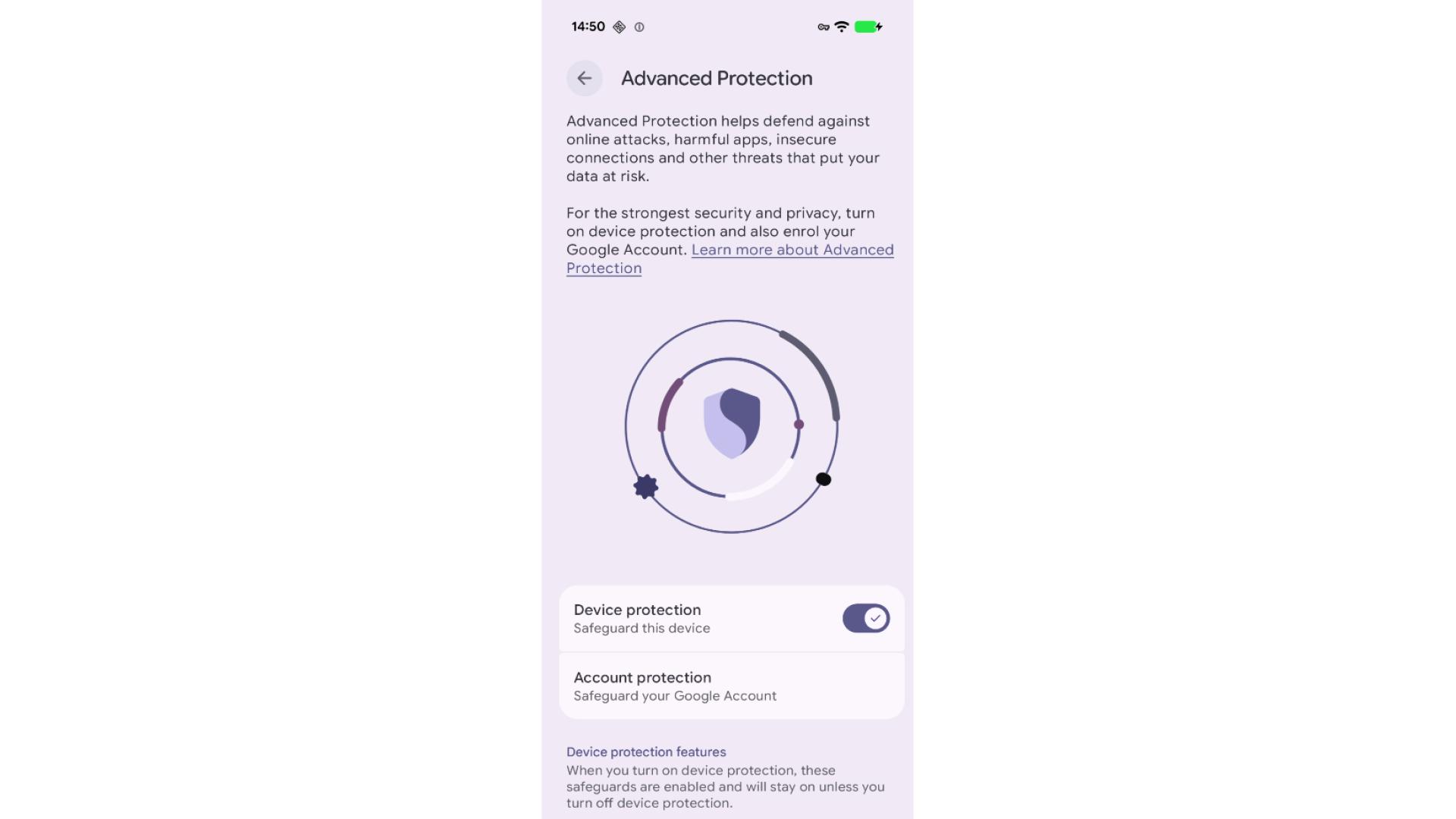
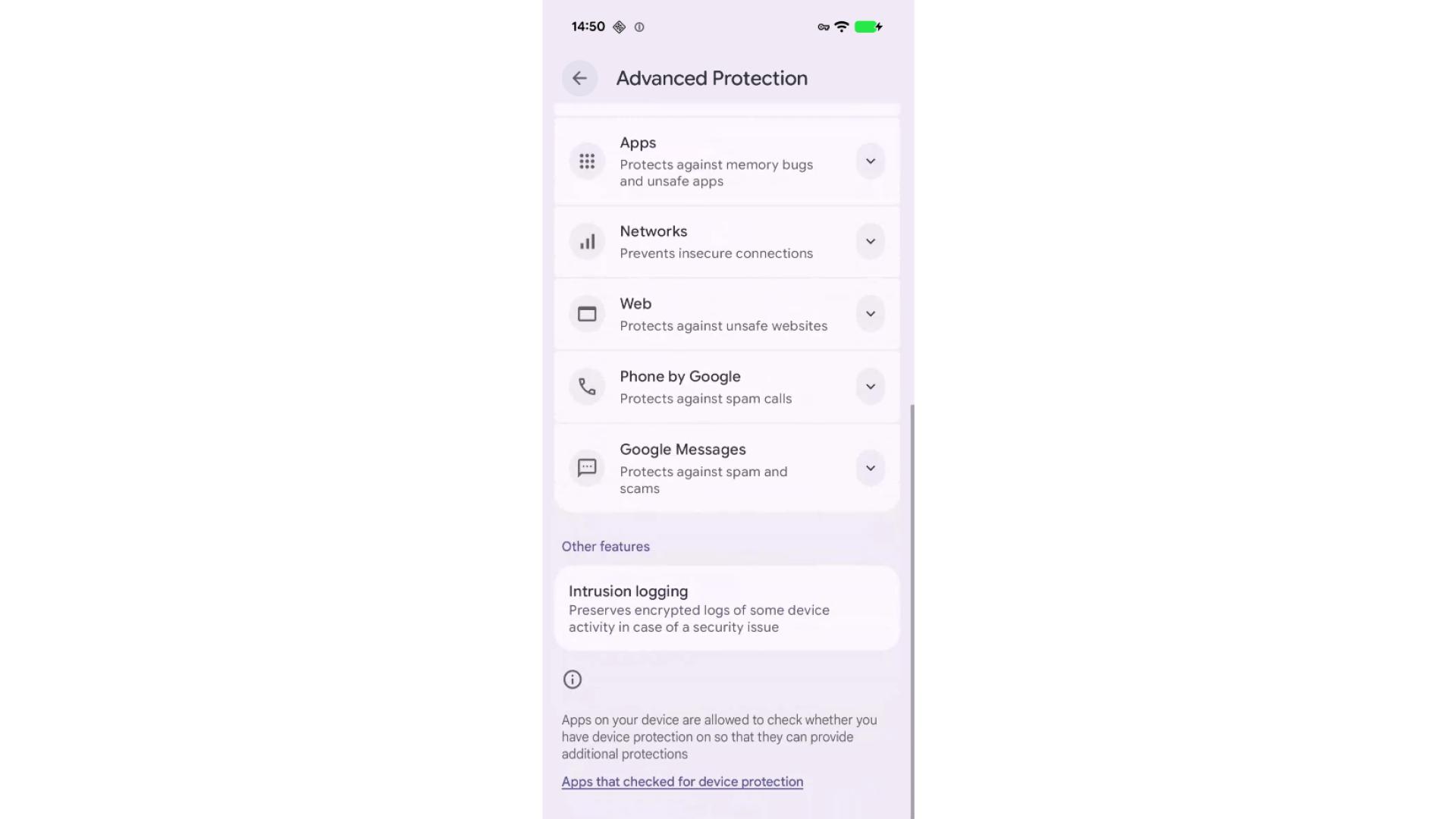
Scroll to the bottom of the settings page and tap on Intrusion Logging.
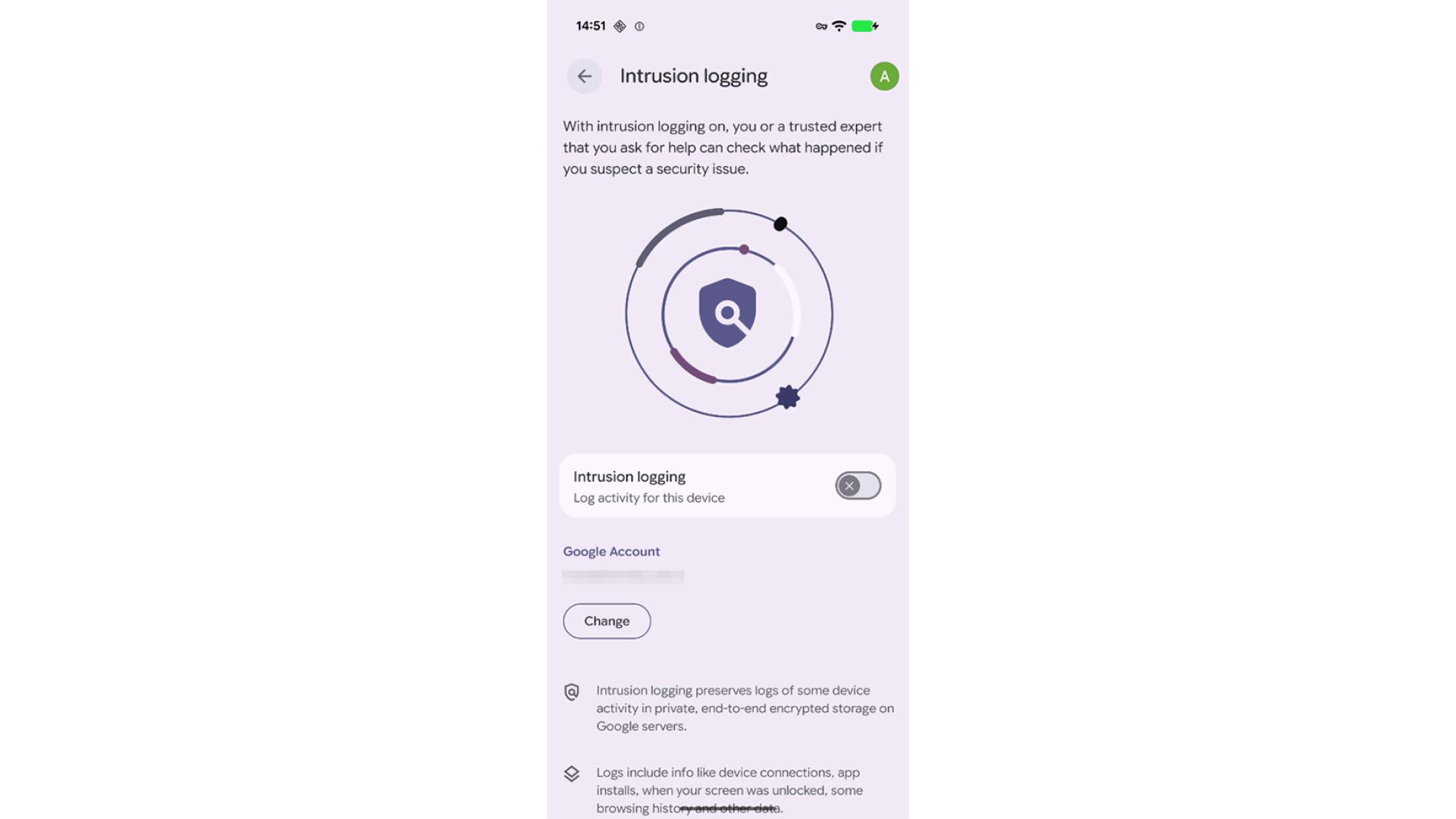
If you enabled device protection in the past already, then Intrusion logging is likely disabled:
Activate the feature:
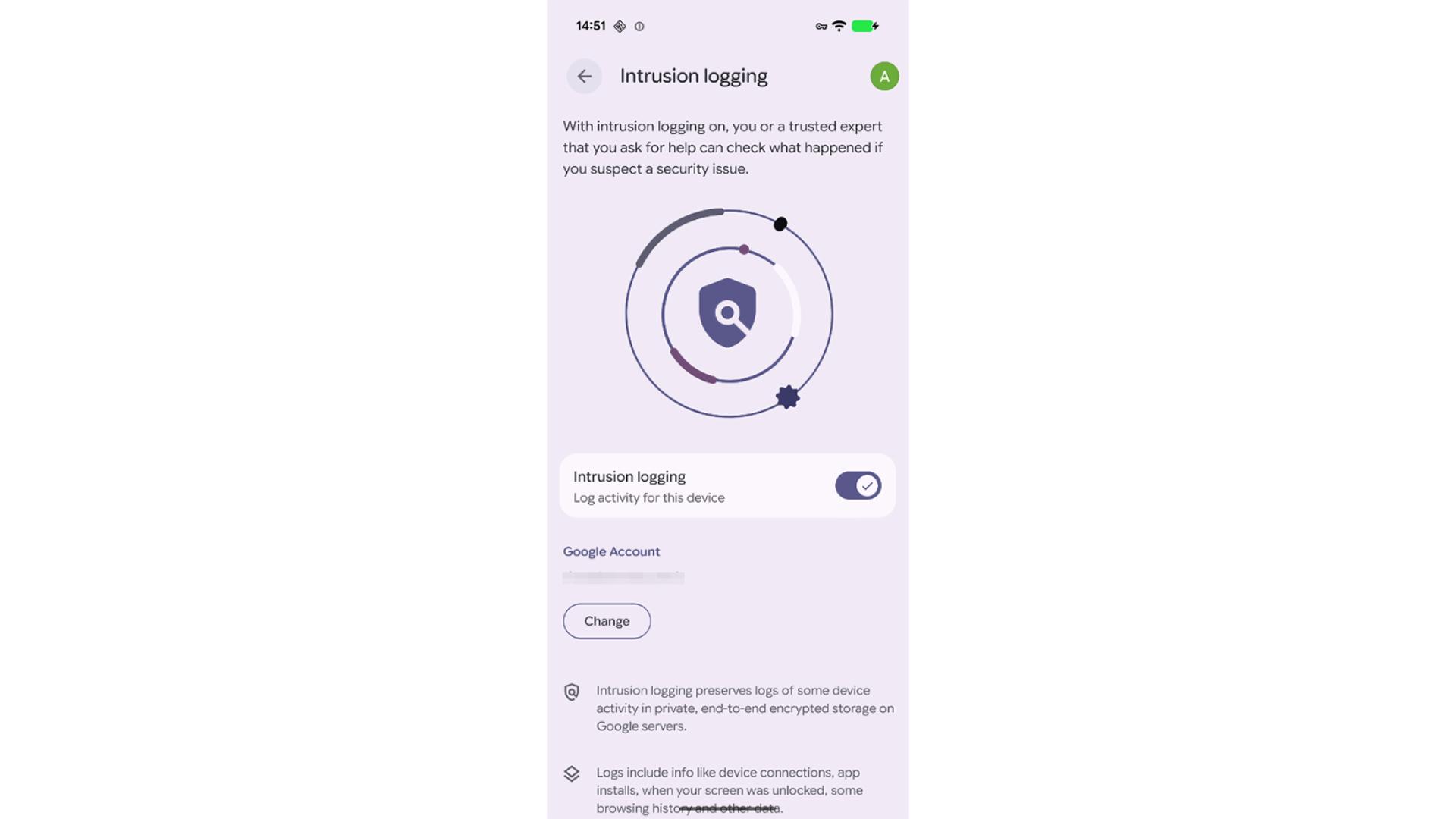
Restart your device now. Done! The extended log files are now being saved, making it significantly more likely that spyware attacks on this device can be traced.